
Lighting
Lighting is baked: the editor works out the light on every surface once and stores it. What a bake produces, and when it goes out of date, is in Baking. How lights, sky and bounce behave is in Lighting.
Bake
- Place lights. See Entities.
- Press
CmdLfor the lightmap tool. Its panel opens at the bottom right. - Click Bake.
- Press
F5to see the result.
A window shows each stage while it bakes, and the map cannot be edited until it is done. The old lighting stays on the map until the new is ready: Cancel, or closing the window, stops the bake and leaves the map lit as it was. Cancelling Bake all variants stops it at the variant it was on; the ones already baked keep their new lighting. Bake again after changing geometry, lights or the sky.
The panel's top line names the variant a bake will light and whether its bake is baked, not baked or out of date.
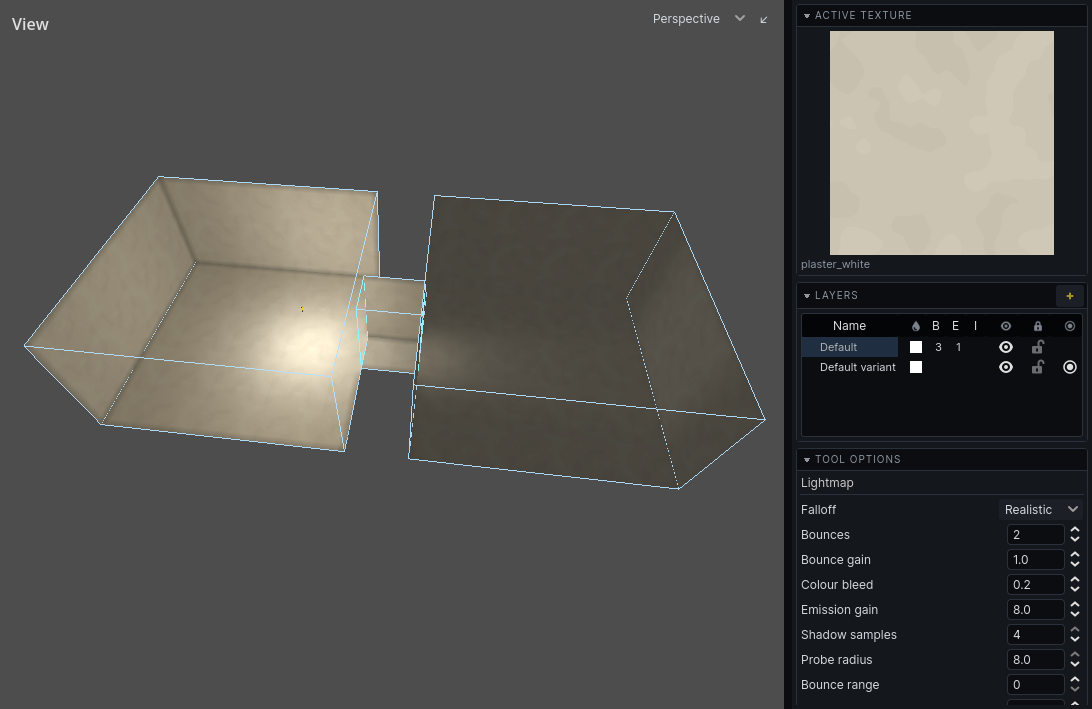
Bake settings
| Field | Does |
|---|---|
| Falloff | Realistic: light fades with the square of the distance and never quite ends. Linear: a straight ramp to darkness at the light's range |
| Light range | how far a light reaches, per unit of its energy; shown with Linear falloff only |
| Bounces | how many times light bounces; 0 is direct light only |
| Bounce gain | how much bounced light is kept; below 1 keeps rooms darker |
| Bounce range | how far bounced light carries, in world units; 0 is unlimited |
| Bounce floor | the faintest bounce of a switchable light a wall keeps, as a light level; 0 keeps all of it |
| Colour bleed | how much a surface takes the colour of light bounced onto it; shows at once, without a bake |
| Emission gain | how brightly glowing textures glow |
| Shadow samples | 1 gives hard, stepped shadow edges; up to 4 softens them, at up to four times the cost |
| Probe radius | how far light probes reach; higher is smoother and slower |
| Water reflections | whether pools reflect the light falling on them back into the room; off bakes faster on a map with water |
Hover a field for more.
Bake direct pass bakes direct light only, with no bounces: the quick way to see where the lamps reach.
Quick bake lights only the surfaces that have no lighting: those an edit has moved, cut or added since the last bake. It uses direct light and leaves everything else as it was, so a changed room can be looked at without waiting for a full bake. The bake stays out of date until a full bake. See Baking.
Variants
A bake lights the variant in effect and is kept for that variant. Switch variants in the Layers panel and bake each one.
Bake all variants bakes each variant in turn. It appears when the map has more than one.
Looking at the result
Choose what the 3D view shows from its View dropdown, or with the F-keys:
| Key | Mode | Shows |
|---|---|---|
F1 |
Unlit | textures, no lighting |
F2 |
Lightmap | the baked light alone |
F3 |
Lightmap Scale | how fine each surface's lightmap is |
F4 |
Caustics | light patterns thrown by water |
F5 |
Lit | textures with lighting, as in the game |
Problems the bake found are listed in the Problems panel.